Black-PCB RGBW Pixel COB for Home Cinema Bias Lighting
- 2026-10-09 18:40
- /
- Arraystar LED
Bias lighting behind a TV or screen reduces perceived contrast and eye strain, but on a black AV wall a standard white PCB glows grey in the dark and wrecks the cinematic look. A black-PCB RGBW pixel COB disappears when off, adds a dedicated white channel for clean bias light, and brings addressable colour for scenes. It is the purpose-built choice for a home cinema rather than a repurposed decorative strip.
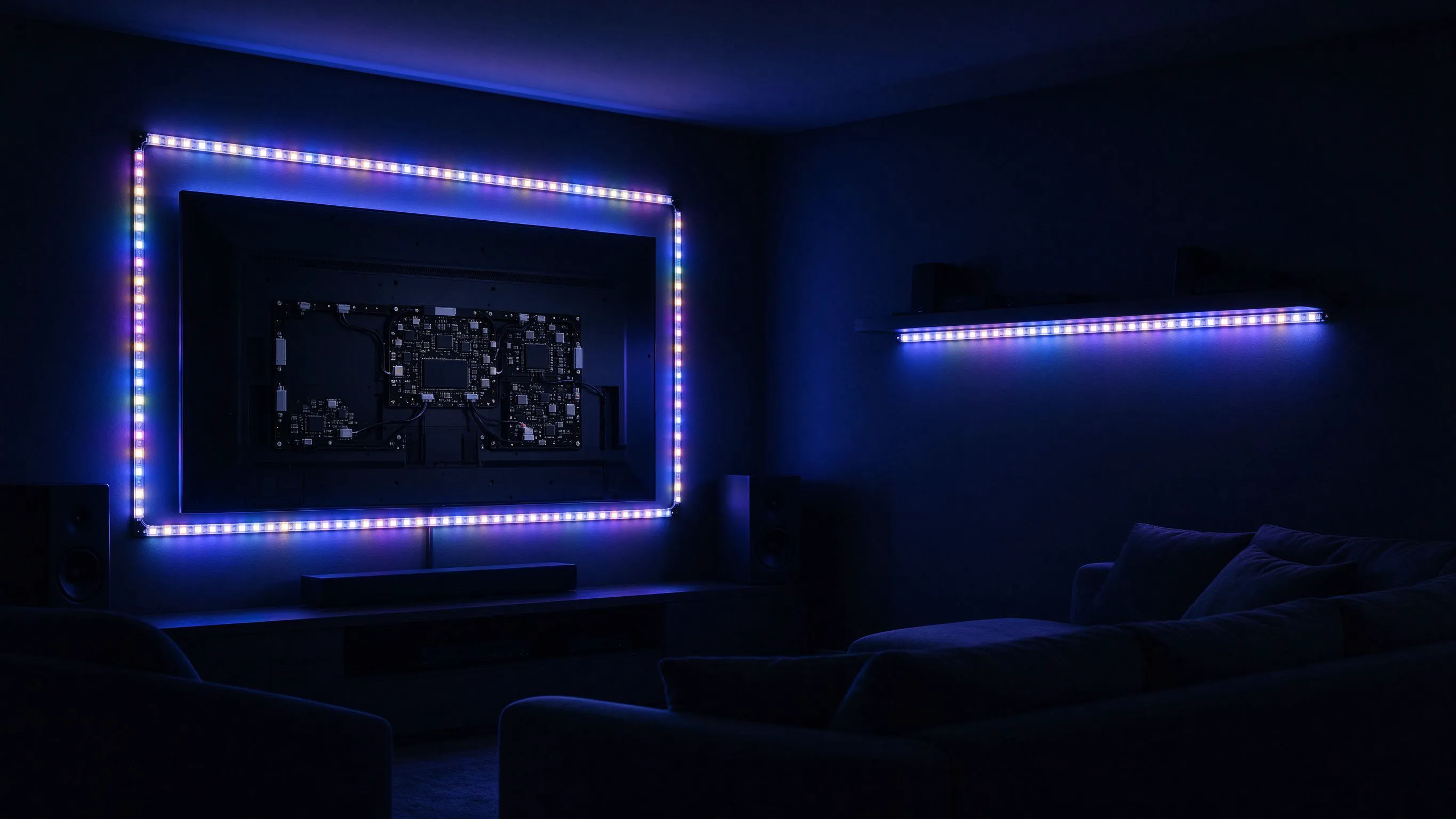
What Bias Lighting Actually Does
Bias lighting is the soft light placed behind a screen to lift the surrounding wall brightness closer to the display. In a dark room, a bright screen surrounded by black forces the eyes to adapt constantly between extremes; a gentle bias field reduces that contrast, cuts fatigue during long films and can even improve perceived black detail. It is a small detail that genuinely changes how a cinema room feels.
The catch is that the same light has to be invisible when the room is in show mode. Hardware that shows itself spoils the illusion the bias light is meant to support.
Why the PCB Colour Decides the Look
- White PCB reflects ambient and emitted light and reads as a grey strip on a black wall.
- Black PCB absorbs light and visually disappears against dark AV cabinetry.
- When off, black board blends into the TV recess instead of outlining the screen in plastic.
- When on, the glow appears to come from nowhere rather than from visible hardware.
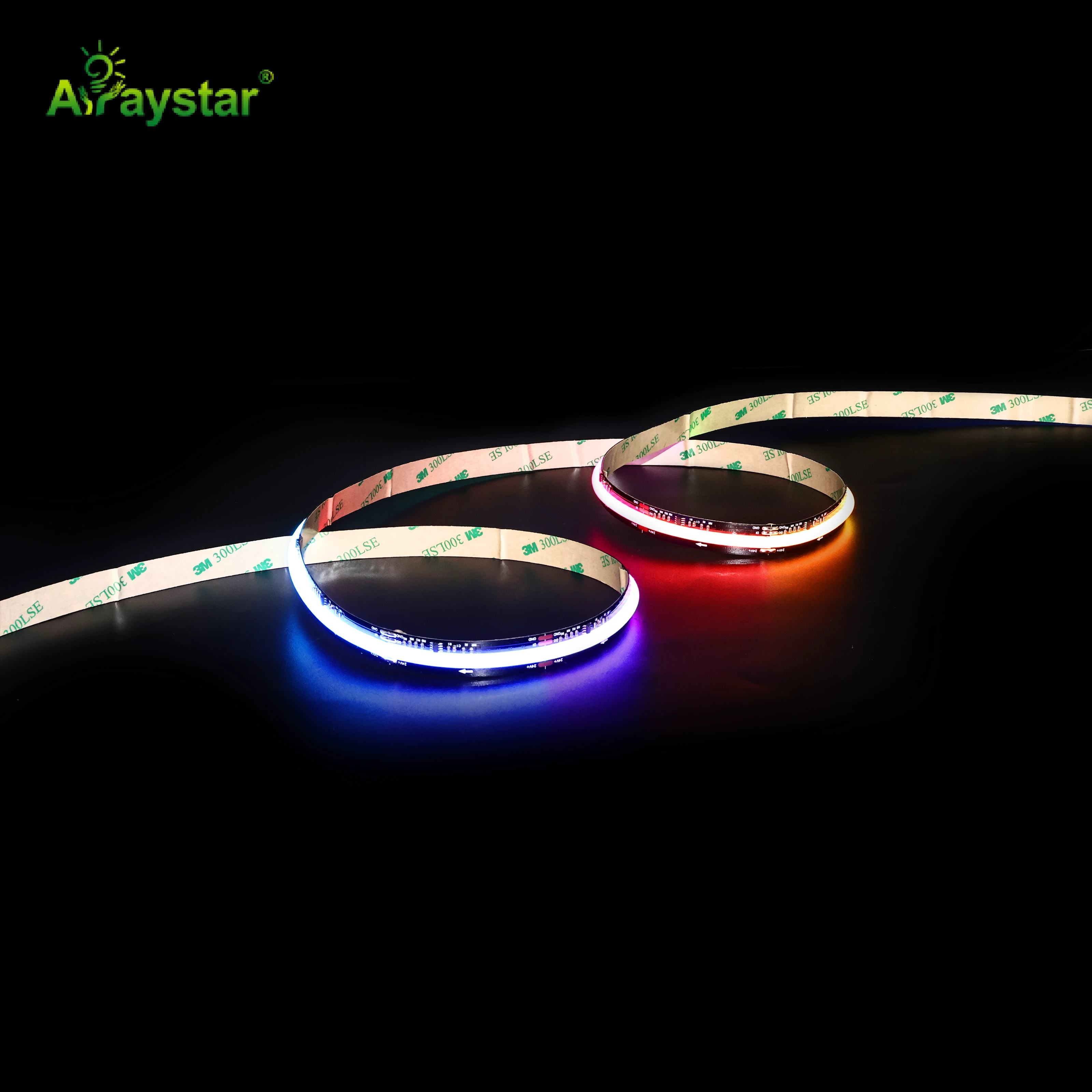
For cinema bias I use the black-PCB 896-pixel RGBW FCOB. The black board is the detail clients notice immediately: the wall stays black until the light is wanted.
Why RGBW Beats RGB for Bias Light
Bias light is mostly white; a dedicated white channel matters.
| Need | RGB only | RGBW (dedicated white) |
|---|---|---|
| Clean neutral bias white | Mixed, can tint | Dedicated white channel |
| D65/6500K reference bias | Hard to hit accurately | Far easier to set correctly |
| Colour scenes and ambience | Yes | Yes |
| Efficiency for white | Lower (3 channels) | Higher via white chip |
| Smooth low-end dimming | Controller dependent | Smoother with white channel |
The recommended bias colour for accurate viewing is a neutral white around the D65/6500K reference at a controlled brightness. RGB-only strip approximates that by mixing and often drifts tinted; an RGBW board produces it directly on the white channel, which is both more accurate and more efficient, while keeping full RGB for mood scenes before and after films.
Pixel/Addressable Control for Scenes
A pixel (addressable) COB lets each segment be controlled independently, which opens effects beyond static bias: gentle colour sweeps during menus, reactive ambience for gaming, or simple static white for movies. For serious film watching I keep bias lighting static and neutral; the addressable capability is for the room's other uses rather than chasing effects behind a film, where motion behind the screen is a distraction.
- Static neutral white for movie playback.
- Slow colour scenes for music, menus and social use.
- Reactive or segmented effects for gaming setups.
- Full off state where the black board vanishes completely.
Installing Bias Light Correctly
- Run the strip along the rear edges or frame of the TV so light spills onto the wall, not toward the viewer.
- Leave a gap between the screen edge and the strip to widen the halo and avoid hot edges.
- Do not let any light shine directly into the room or reflect off a glossy screen bezel.
- Keep wiring and the controller hidden inside the recess or behind the mount.
- Power from the TV USB only if the strip's draw is within the port's limit; otherwise use a dedicated driver.
Brightness and Colour Temperature Setup
Bias light that is too bright defeats its own purpose and creates a new contrast problem. I set it well below screen peak, typically a soft fraction of the display brightness, and use the neutral white channel for films. Many controllers default to colourful or overly bright demos, so I save a dedicated 'movie' profile: static, neutral, dim. For rooms used in daylight versus evening, two saved levels cover both without readjusting each session.
COB Smoothness Behind the Screen
Using FCOB (flip-chip chip-on-board) rather than dotted addressable strip matters because bias light is viewed against a flat wall just beyond the screen, where individual pixels or packages would cast a scalloped halo. The dense COB emission produces a smooth, even halo with no repeating bright spots, and the black board keeps the transition clean. It is a small upgrade in cost that removes the most common cheap-looking flaw in DIY bias installations.
Specifying a Home Cinema Bias Setup
Send the TV size and mount type, wall colour, recess depth and whether you want static bias only or addressable scenes and gaming effects. I will confirm the black-PCB RGBW pixel COB length, the neutral-white setting, power source and controller. We supply the black-PCB RGBW FCOB and recommend setting and saving a dim neutral movie profile first, so the default experience is a proper cinema bias rather than a flashing demo.
Sizing the Bias Halo to the Screen
The bias field should relate to the size of the screen and the gap between the TV and the wall, and these two dimensions decide both the strip length and how bright it can run before looking like a glowing border rather than a soft halo. A large screen mounted close to the wall produces a narrow, intense halo; the same screen pulled slightly further out spreads the light into a wider, gentler field.
- Run strip around the rear perimeter rather than just the bottom edge for an even halo.
- Increase the TV-to-wall gap or add a spacer if the halo is too narrow or hot.
- On very large screens, ensure output is even around all four sides with adequate feed.
- Dim the bias field in proportion to screen size and room darkness; bigger is not brighter.
- Use a matte or mid-tone wall behind; glossy black surfaces reflect the strip itself.
I sized one 85-inch cinema room where the mount initially sat almost flush to the wall. Even with the black board invisible, the narrow gap threw a hard bright rectangle that outlined the TV precisely, the opposite of the floating-softness bias lighting should create. Adding a 25 mm spacer widened the halo enough that the light blended before the viewer's eye reached its edge, and dropping the level to a dim neutral removed the outline entirely. On a smaller 55-inch bedroom screen the same strip at the same spacer was already too wide a field, so we reduced the run to three sides and lowered brightness. There is no single universal level; the correct setting is found by viewing a dark film scene from the seating position and adjusting until the wall is gently lifted but the boundary of the light is not obvious. Getting the gap right before mounting saves having to pull the TV back off the wall later, which is why I settle the spacer and halo size at the install stage rather than treating them as afterthoughts.
Recommended Products
Frequently Asked Questions
Why use a black PCB strip for TV bias lighting?
On a black or dark AV wall, a white PCB reflects light and shows as a grey strip even when off, spoiling the cinematic look. A black PCB absorbs light and disappears against dark cabinetry, so the wall stays black until the bias glow is wanted and the light appears to come from nowhere.
Is RGB or RGBW better for home cinema bias light?
RGBW is better. Accurate bias light is a neutral white around D65/6500K, which RGB only approximates by mixing and can leave tinted, while an RGBW board produces it directly on a dedicated white channel, more efficiently and with smoother dimming, while still offering full RGB colour for mood scenes.
What colour and brightness should TV backlight be?
For movies use a static, neutral white around 6500K (D65) at a soft brightness well below the screen's peak, so it lifts the surrounding wall without creating a new contrast. Save colourful or animated effects for menus, music or gaming; motion behind a film is distracting.
Why use COB rather than normal pixel strip behind a TV?
Bias light is projected onto a flat wall just behind the screen, where spaced pixels or packages cast a scalloped, dotted halo. Dense FCOB emission blends into a smooth even glow with no repeating spots, and on a black board the hardware stays invisible, eliminating the cheap look common in DIY bias kits.
Can I power bias lighting from the TV USB port?
Only if the strip's current draw is within the USB port's rated output; longer RGBW pixel COB runs often exceed it and should use a dedicated driver. Run the strip along the rear edges with a gap so light spills onto the wall rather than toward the viewer, and keep the controller and wiring hidden behind the mount.
Need help with your LED project?
Get factory-direct pricing, free samples and engineering support within 24 hours.
Email: info@arraystarled.com | Phone: +86-0755-2103-6746 | WhatsApp: 0086 1581 8514 077
Need to size your power supply? Use our LED Strip Power Calculator to find the right driver in seconds.