I Connected the Wires Backward by Accident - Did the Strip Survive?
- 2026-11-02 15:55
- /
- Arraystar LED
Most low-voltage strips just refuse to light when you flip + and -, and that is the good case. The bad case is when a controller, a sensor, or a smart pixel IC is on the same feed and it does not have reverse protection. I check what survived before I buy any replacement.
What survives reverse polarity, and what does not
A plain constant-voltage LED strip, monochrome or RGB with no IC on the board, is a diode. Wire it backwards and the diode blocks current. Nothing lights up, nothing breaks, and you flip it back a week later and it works. That is why so many installers get careless about polarity and get away with it dozens of times.
The components that do not forgive are the ones with semiconductors on the strip or on the same bus: addressable LEDs like the WS2811 or SK6812 family, which have an IC on each pixel; any controller, receiver, or sensor sharing the rail; and any bulk capacitor across the rail, which can blow loudly when reversed. One of those on the same feed and the reverse hookup turns into a parts replacement job.
How to tell what got damaged
Flip the wires back the right way first, power on, and watch carefully. If the strip lights normally, you got lucky and nothing was harmed. If only the first pixel on an addressable run is dead but the rest follow when you feed data past it, that pixel IC took the hit. If the controller powers off completely but the strip lights when fed from a bench supply, the controller input stage is gone.
A dead first pixel on a digital run is the classic reverse-polarity fingerprint.
| Symptom after flipping back | Likely damage | Replacement target |
|---|---|---|
| Strip lights fine | Nothing damaged | None, check connectors |
| First pixel dead, rest ok | Pixel IC killed | Cut pixel, jumper data |
| Whole addressable run dead | First pixel IC took data bus down | Replace first 1-3 pixels |
| Controller dead, strip ok on bench | Controller input stage | Swap controller |
The damage inspection, step by step
What I measure first
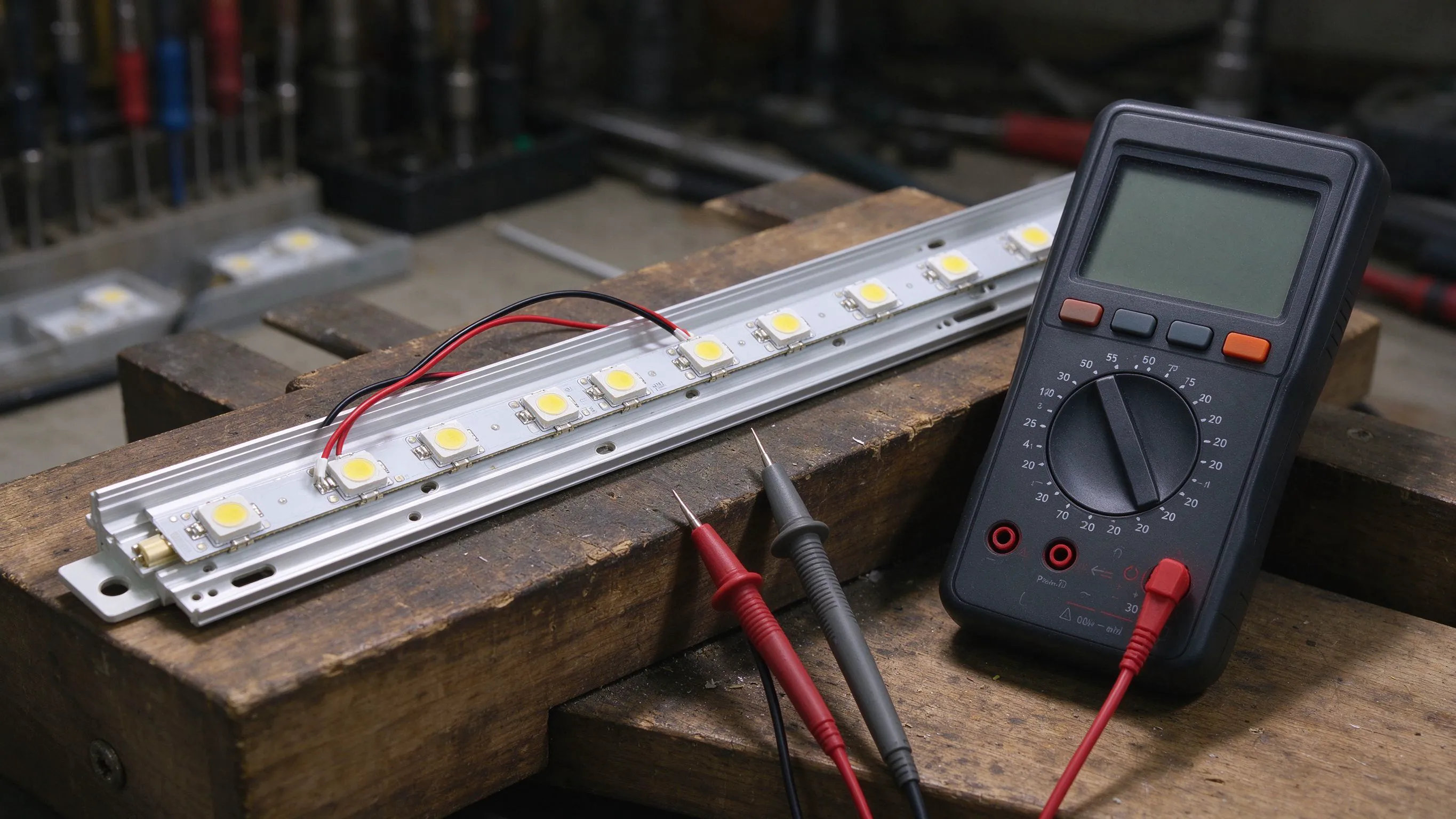
- Set the multimeter to diode mode, red probe on + pad, black on - pad, on a known-good section.
- Read the forward voltage: about 18 to 2.2 V for red, 2.8 to 3.2 V for white or blue.
- Swap probes. A good diode reads open. A shorted LED reads under 0.5 V both ways.
- Do the same across the input of the controller. Under 1 ohm means the input capacitor or regulator is shorted.
- Sniff the connector. A burnt IC has a sharp, sweet smell you will not miss.
On a digital strip, the first pixel is almost always the victim because its data input pin is directly connected to the feed and its internal protection diodes are the first to clamp reverse current. The rest of the pixels often survive because the first one absorbed the event.

Repairing the first-pixel death
On a digital strip, the fix is to cut out the first 1 to 3 pixels, or just the single dead one if the rest are alive. You then feed data from the controller straight to the DI pad of the first surviving pixel, bypassing the dead ones entirely. Power still runs along the 12 or 5 V copper rail to the rest of the run, so you only need to bridge the data line. The remaining pixels will start one position earlier than the firmware expects, which you fix in WLED by setting the LED offset to 1.
For a monochrome strip, reverse polarity almost never damages the LEDs. If the run is dead after a flip, look at the solder joints at the feed end first; the reverse current often heated a weak joint and cracked it, rather than killing the diode.
How to never eat this repair again
Reverse-polarity protection on a 12 V run is cheap. A Schottky diode in series on the + line, rated for the full run current, drops about 0.3 V but blocks reverse current completely. On long runs where 0.3 V matters, a P-MOSFET ideal-diode controller does the same with negligible drop. I put one on every custom install from about 5 m upward, because the next person who opens the junction box will not know your colour code.

- Mark + and - at every connector with tape or a marker before you wrap the install.
- Use a Schottky series diode or a P-MOS ideal diode on any long or public-facing run.
- Colour-code the feed wires: red for +, blue or black for -, and never reuse them for other signals.
- Test with a multimeter on continuity before the first power-up.
Recommended Products
Frequently Asked Questions
Will my LED strip still work after I wired it backwards?
On a plain constant-voltage monochrome or RGB strip, yes, almost certainly. LEDs are diodes, so reverse current simply does not flow and nothing heats up. Flip the wires back and it should light normally. If it does not, look at the solder joints at the feed end; the surge may have cracked a weak joint.
Why is only the first pixel dead on my addressable strip?
Because the first pixel IC absorbed the reverse current through its internal protection diodes. Its data input pin is wired straight to the controller, and those diodes are the first clamp. The rest of the pixels usually survive because the first one took the hit. Cut out the first pixel and jumper its data input straight to the second pixel.
Can reverse polarity damage my ESP32 or WLED controller?
Yes, if the controller shares the strip supply. Most small controller boards have no reverse protection. A reversed 12 V feed will kill the onboard voltage regulator and often the ESP32 itself. If the controller is dead after a polarity slip, replace it and add a series Schottky diode on the + input before the next install.
What diode do I add for reverse polarity protection?
A Schottky diode in series on the + rail, rated for at least 1.5 times the expected run current. A 10 A, 40 V Schottky like the SS54 is common for 5 A runs. It drops about 0.3 to 0.5 V, which you compensate by feeding from the nearer end. On long runs where 0.3 V matters, use a P-MOSFET ideal-diode module instead.
How do I check with a multimeter if a pixel IC is shorted?
Set the meter to diode mode. Touch red to the + pad and black to the - pad of the suspect pixel. A healthy LED shows 1.8 to 3.2 V forward drop depending on colour. Swap the probes. A healthy pixel reads open or over range. If it reads under 0.5 V both ways, the IC or LED is shorted and that pixel needs to be cut out.
Need help with your LED project?
Get factory-direct pricing, free samples and engineering support within 24 hours.
Email: info@arraystarled.com | Phone: +86-0755-2103-6746 | WhatsApp: 0086 1581 8514 077
Need to size your power supply? Use our LED Strip Power Calculator to find the right driver in seconds.