SK6813 96 LED/m High-Density Addressable Strips for Short Pitch
- 2026-10-09 18:40
- /
- Arraystar LED
Pixel pitch decides how close an effect can be viewed before it breaks into visible dots. A high-density SK6813 strip at 96 LEDs per metre gives a short pitch that stays smooth at arm's length and can render readable on-strip text and fine graphics, which sparse 30 or 60 LED per metre strip cannot. It is the go-to for close-viewed, detail-critical pixel features.
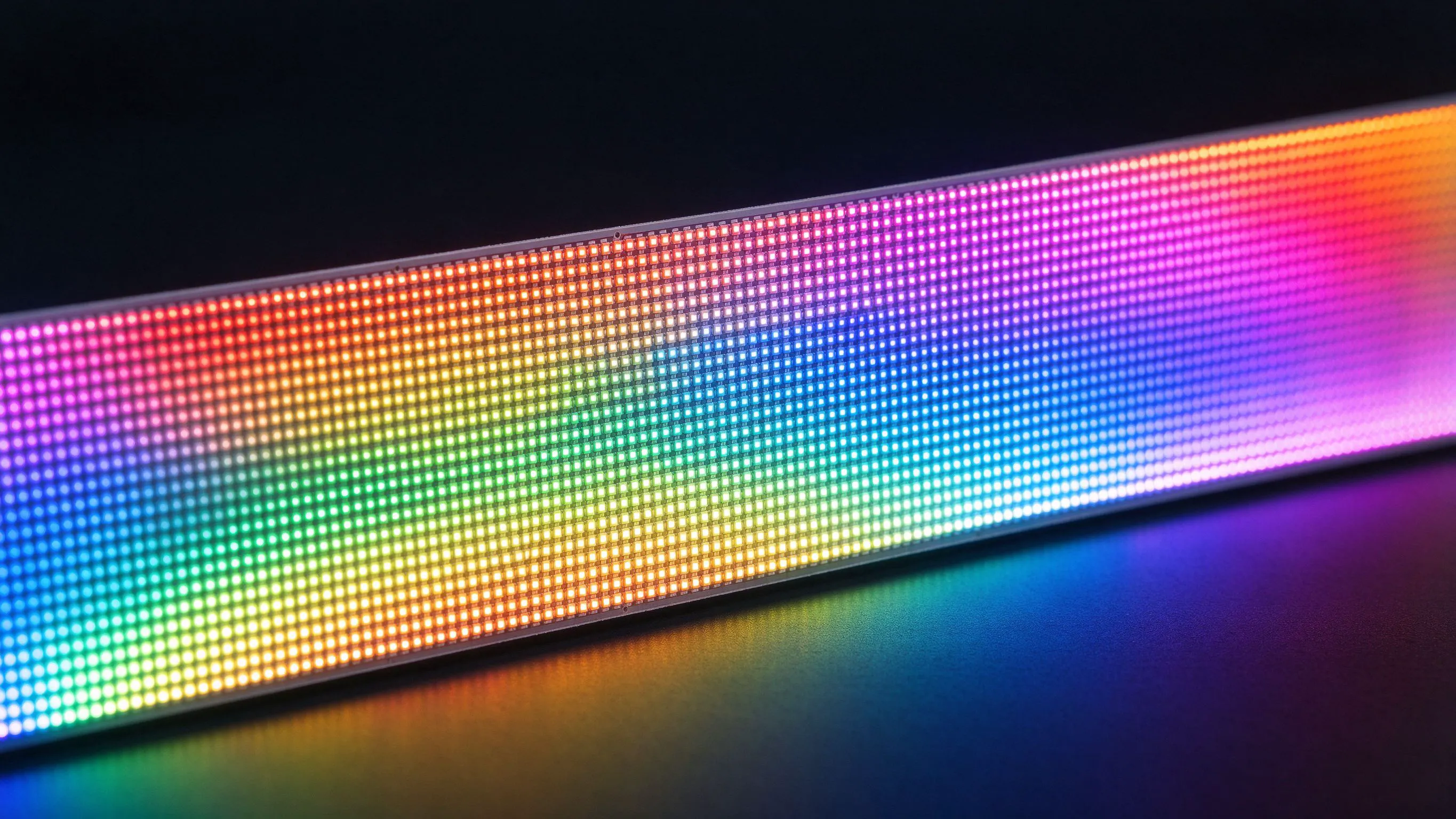
Why Pixel Pitch Controls Viewing Distance
Every addressable strip has a minimum distance at which the eye blends the individual pixels into a smooth image. Get closer than that and the effect dissolves into separate dots, text becomes unreadable and gradients band. Sparse 30 or 60 LED per metre strip is fine across a room but looks coarse on a bar front, a desk feature or anywhere people stand near it.
Density, not brightness, is the variable that fixes this, and high-density addressable strip exists specifically for the close-viewed zone.
What 96 LEDs per Metre Delivers
- Short pixel pitch for smooth effects at close range.
- Readable on-strip text and fine graphics at arm's length.
- Tighter gradients and smoother video-style content.
- SK6813 reliability features in a dense package.
- Less visible dot structure behind shallow diffusers.
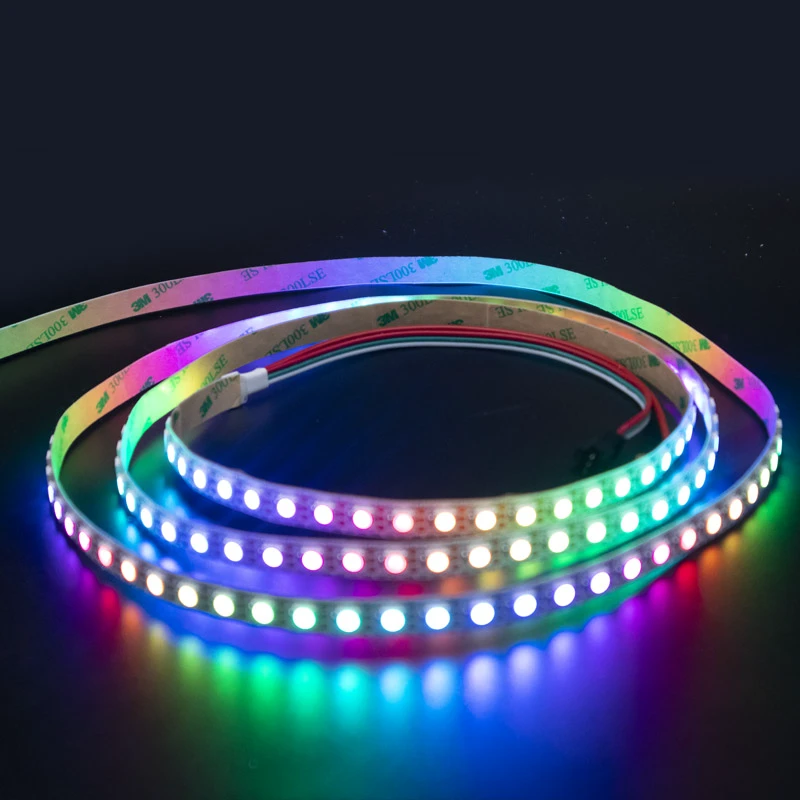
For close-viewed detail I use the SK6813 96-LED-per-metre strip. The short pitch is what makes fine effects hold together when people stand right next to them.
Density Comparison at a Glance
Match density to the closest viewing distance, not the brightest spec.
| Density | Approx. pitch | Typical minimum viewing |
|---|---|---|
| 30 LEDs/m | ~33mm | Far, large architectural |
| 60 LEDs/m | ~17mm | Across a room |
| 96 LEDs/m | ~10mm | Arm's length / close detail |
| 144 LEDs/m | ~7mm | Very close / fine text |
Where High Density Is Worth It
- Bar fronts, counters and reception desks viewed up close.
- On-strip scrolling text and logos in retail and exhibitions.
- Pixel matrices and low-resolution screens with tight pitch.
- Shallow-diffuser coves where sparse dots would show through.
- Desktop, props and wearables where distance is minimal.
The Cost of Density: Power, Data and Cost
High density is not free. Ninety-six pixels per metre means far more ICs and LEDs than a sparse strip, so per-metre cost rises, current draw climbs and the controller must handle a much larger pixel count, which limits how many metres one controller can drive at a given refresh rate. I size power for dense runs carefully, inject frequently, and confirm the controller's pixel capacity and frame rate before designing a long high-density feature. I also use high density only where close viewing genuinely justifies it; specifying 96 LEDs per metre for a ceiling viewed from across a lobby wastes money, power and controller capacity.
- Budget for higher per-metre cost and current.
- Check the controller's maximum pixel count at desired refresh.
- Inject power more often on dense runs.
- Use sparse strip where viewing distance allows.
Text, Graphics and Diffuser Choice
For readable text the pitch must be fine relative to the character height; a rule I apply is that characters need enough pixels across their height to stay legible, which is why close small text demands high density. The diffuser also matters: a shallow or clear cover preserves resolution but can reveal dots, while a deep frosted cover smooths the image but blurs fine text. I test the actual cover material with the dense strip, because the combination of pitch and diffusion decides the real result.
Refresh Rate and Large Pixel Counts
Addressable protocols update pixels sequentially, so a long dense run takes longer to refresh and can show a low frame rate or visible scanning if the controller is under-specified. For large high-density features I split the strip across multiple controller outputs or use receivers so each segment refreshes quickly, and I calculate total pixel count early rather than discovering flicker after installation. This is the most common oversight when designers move from sparse to dense strip.
Specifying a High-Density Feature
Send the closest viewing distance, whether you need text or graphics, character sizes, the cover/diffuser material, total feature dimensions and desired effect smoothness. I will confirm whether 96 LEDs per metre is the right density or whether 60 or 144 suits the viewing distance, plus controller capacity and power. We supply the SK6813 96 strip and recommend mocking a text or gradient sample behind the real diffuser at the actual viewing distance before committing.
Building a Close-Viewed Matrix Sign From Dense Strip
A retail brand wanted a small feature sign behind its reception desk that could display scrolling campaign messages, simple logos and animated gradients, and the sign would be viewed from only about one to two metres as visitors approached and checked in. An initial concept used 60 LED per metre pixel strip arranged into a matrix, but a quick mock showed that at that pitch the letters broke into obvious dots at the viewing distance and the brand logo, which contained thin typography, was unreadable during scrolling.
Moving to the SK6813 96 LED per metre strip gave the short pitch the sign needed. We built the matrix with the rows spaced to match the horizontal pixel pitch so the pixels were roughly square, which is essential for text that is not to look stretched, and drove it from a controller sized for the full dense pixel count at a comfortable refresh rate. Behind a carefully chosen shallow frosted face the dense pixels blended into a smooth image while preserving the thin letterforms, something we confirmed only by testing three diffuser depths; the deepest face looked smooth on solid colours but blurred the small text, while the shallowest showed faint dot structure on white, so we settled on the middle option. Power was injected per row to keep the dense matrix even, and the total pixel budget forced us to split the sign across two controller outputs to avoid the scanning that a single under-specified output produced. The finished sign reads cleanly at the reception distance and runs the brand's campaign messages without the dotty, amateur appearance the 60-LED mock showed. The project reinforced the rule that for close-viewed text the controlling spec is not brightness or colour count but pixel pitch relative to character height and viewing distance, plus a controller genuinely capable of refreshing the dense pixel total.
Recommended Products
Frequently Asked Questions
What does 96 LEDs per metre mean for pixel pitch?
It places roughly 96 addressable pixels in each metre, a pitch near 10mm, which is tight enough for effects, gradients and even on-strip text to stay smooth and readable at arm's length, whereas 30 or 60 LED per metre strip breaks into visible dots at that distance.
How do I choose addressable LED density?
Match density to the closest viewing distance and the content: 30 LEDs/m for distant large architecture, 60 for viewing across a room, 96 for arm's-length detail and text, and 144 for very close fine graphics. Always test behind the actual diffuser, since cover depth changes apparent smoothness.
Does high-density addressable strip need more power and control?
Yes. More pixels per metre means higher cost and current, more frequent power injection, and a much larger pixel count that can exceed a controller's capacity or lower its refresh rate. Calculate total pixels and power early, split large features across outputs or receivers, and do not specify high density where distant viewing does not need it.
Can high-density strip display readable text?
Yes, provided the pitch is fine relative to character height and the diffuser is chosen carefully; 96 LEDs/m suits small close-viewed text better than sparse strip. A deep frosted cover smooths dots but blurs lettering, while a shallow cover keeps text sharp, so test the real cover with the strip before committing.
Why might a long dense pixel run flicker or scan?
Addressable protocols update pixels sequentially, so a long run with many pixels refreshes slowly and an under-specified controller shows a low frame rate or visible scanning. Split a large high-density feature across multiple controller outputs or add receivers so each segment refreshes quickly, and verify the controller's pixel capacity at the desired frame rate.
Need help with your LED project?
Get factory-direct pricing, free samples and engineering support within 24 hours.
Email: info@arraystarled.com | Phone: +86-0755-2103-6746 | WhatsApp: 0086 1581 8514 077
Need to size your power supply? Use our LED Strip Power Calculator to find the right driver in seconds.